- Get started with Reclaimit
- Working in Reclaimit
- Solving errands in Reclaimit
When a customer creates an errand you will receive an email about it, and be presented with the ability to respond to the customer. A customer that is not replied to in time may be refunded. Link: When does Fyndiq refund the customer?
In Reclaimit, you can choose to respond to an errand by pressing the View errand button from the search results or from your Enabled errands.
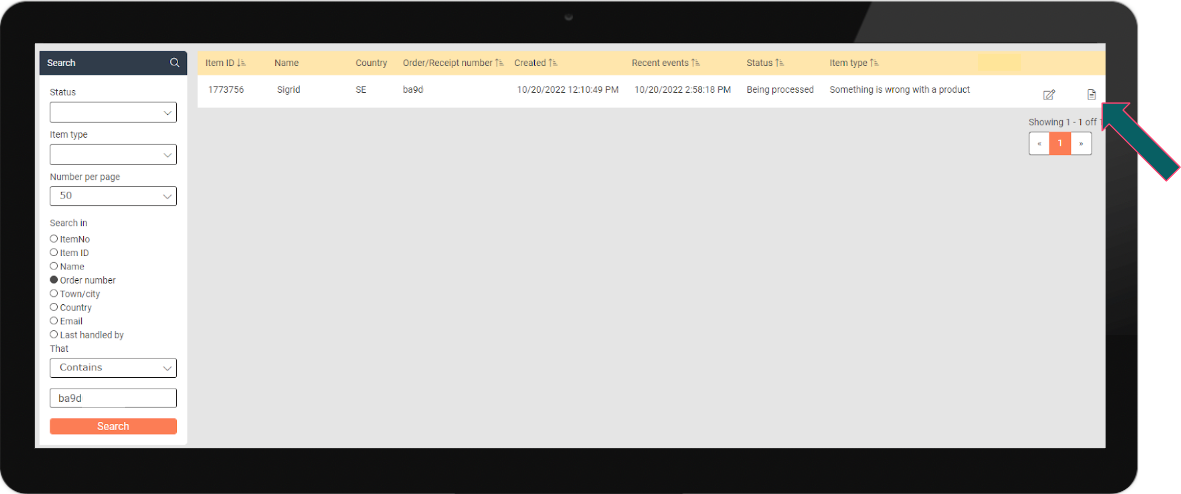
This will open an Overview of the current errand (see picture below).
- Under the tab Events you can solve your errand, and inform the customer about it. This is used if for example you are approving or rejecting the customer errand. Link: Solving errands in Reclaimit
- Under the tab Messages you an email the customer. An email will automatically pause your errand awaiting a customer reply. This is done if you want more information, for example requesting pictures for a Complaint or verifying the address for a Missing Shipment.
- With the button Create freight label you can generate a pre-paid Fyndiq return slip. Link: Using Fyndiq's Return Slips

Was this article helpful?
That’s Great!
Thank you for your feedback
Sorry! We couldn't be helpful
Thank you for your feedback
Feedback sent
We appreciate your effort and will try to fix the article